
People use the first two words as if they mean the same thing. They don’t, and mixing them up is how a business ends up paying for the wrong kind of reach.
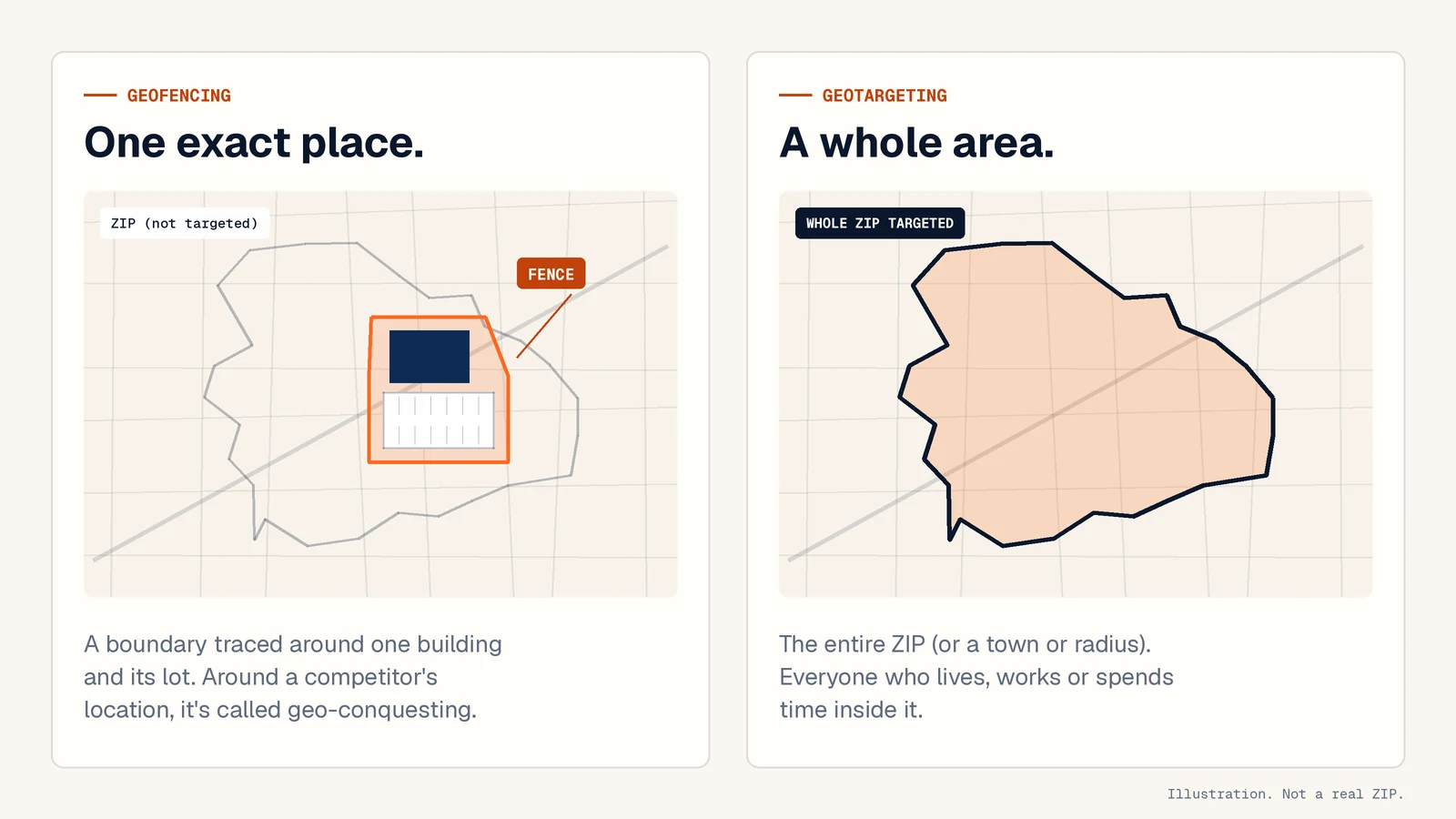
Geotargeting: an area
Geotargeting picks an area and shows your ads to people in it. The area can be a state, a city, a ZIP code or a radius around an address. If you’ve ever set up Google Ads, you’ve done this: you can target postal codes or a radius, and choose whether to reach only people who are in or regularly in the area (“Presence”) or also people who’ve shown interest in it (“Presence or interest”). If you serve a local area, Presence is usually the right call.
Google won’t go small, though. It doesn’t allow radius targeting under 1 km (about 0.6 miles) around any location, so a single building and its parking lot isn’t something you can target there.
For a local service business, the area is usually the ZIP codes where your jobs come from. A plumber in Trussville might target 35173 and nothing else. That keeps your name familiar across the market you serve, month after month, before anyone needs you. The trade-off is that you pay to reach everyone in the area, including plenty of people who won’t need you this year. That’s fine for building familiarity, but it won’t single out someone who’s shopping today.
Geofencing: one place
A geofence is a boundary drawn around a specific address, like a supply house, a big-box home improvement store or a convention center during a home show. Phones that go inside that boundary become eligible to see your ads, while they’re there or afterward.
The difference from geotargeting is intent. Someone standing in the flooring aisle on a Saturday is closer to buying flooring than someone who just happens to live in the same ZIP. Good location data can map a business down to the building, its parking lot and the block around it, so a fence can tell someone who walked in from someone who drove past.
Fences are small, and that cuts both ways. If not many people visit the place you fence, there isn’t much of an audience to reach. A fence around a quiet office park won’t fill a month of ads.
Geo-conquesting: a competitor’s place
Geo-conquesting means drawing a geofence around a competitor’s location, such as their showroom, lot or storefront, and showing your ads to people who’ve been there. Some of them have already picked a company. Others are still comparing, and those are the people worth paying for.
Two things people often get wrong about it:
- You’re targeting a place, not their customers. Nobody gets a competitor’s customer list. The fence only knows that a device was at that address.
- Naming the competitor in your ad is a mistake. Give people a reason to call you instead: your warranty, how fast you can get out there, the neighborhood you’ve worked in for years.
Conquesting won’t win over people who are happy with who they’ve got. It works on the ones still deciding, and they won’t all be ready the same week.
How they compare
| Geotargeting | Geofencing | Geo-conquesting | |
|---|---|---|---|
| What you target | An area (ZIP, town, radius) | One specific place | A competitor’s location |
| Who sees the ads | People in the area | People who visit that place | People who visit your competitor |
| Audience size | Largest | Small; depends on foot traffic | Small; depends on how busy their location is |
| Best for | Staying known | Catching active shoppers | Reaching people who are comparing |
| Watch out for | Paying for people who’ll never need you | Too few visitors to fill the fence | Naming the competitor in your ad |
How GeoForge puts them together
GeoForge campaigns start with your ZIP code as the base layer: geotargeting keeps your name in front of the people who live and work there. Fences go on top of the ZIP, around the specific buildings worth reaching. That can include a competitor’s location where it fits the plan, so ask us.
We map those fences in your first week and send them to you. Nothing runs until you approve the map.
What makes it ours is the ZIP-exclusive part: one business per category per ZIP. If you hold landscaping in 35173, we won’t run a GeoForge campaign for another landscaper there while your plan is active. To be straight about the limit, that covers our campaigns. It doesn’t stop other companies from buying ads in your ZIP.
Pricing is per ZIP: $899, $1,299 or $1,699 a month depending on how much of the ZIP you want to cover, plus a one-time $299 activation. The pricing section has the details, and there’s a full breakdown of what geofencing costs, including how other providers usually price it.
Which one do you need?
- If you want people in your area to know your name, start by geotargeting your best ZIP.
- If your buyers already go somewhere specific, like a supply house, a showroom or a seasonal home show, add a geofence there.
- If a competitor has a busy location in your area, a conquesting fence reaches people while they’re still comparing.
For most local trades we’d start with one ZIP and add a fence or two on top. If you’re only going to do one thing, do the ZIP. A fence without a base layer reaches shoppers who may never have heard of you.